
7 The objednatel in the portal
How you give your customer access to their objekty and records.
The portal is for your customer (the objednatel). They see only what you explicitly make available, and only for the objekty of their organization. The role Klient (portál) is offered in the invitation once the workspace has a customer (Nastavení → Organizace a prostor → Nový zákazník).
Access for the objednatel
- Nastavení → Lidé a přístupy → Pozvat člověka, role Klient (portál). Choose the Organizace klienta (the client's organization).
- In the Klientský portál section choose Sdílené záznamy (shared records) or Bez přístupu (no access) for each objekt.
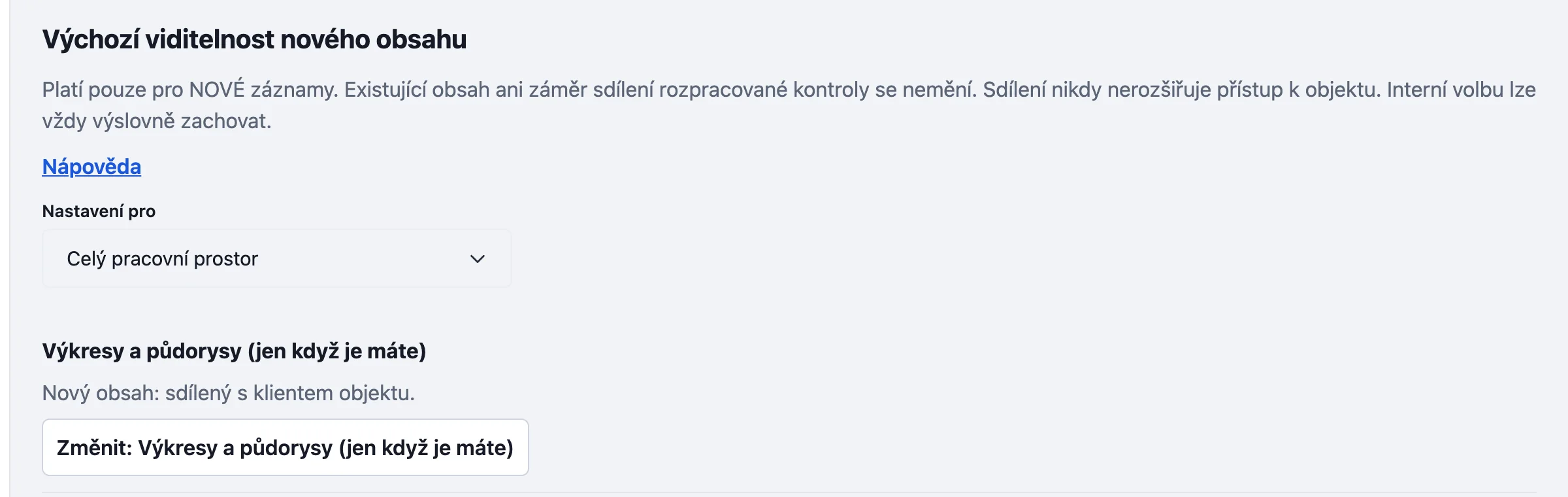
- In Viditelnost (visibility) you decide what new content is shared at once (drawings, photos of prvky, contacts, kontrola records). For an issued record you can change it separately: Sdíleno s klientem objektu and Odvolat sdílení záznamu (withdraw sharing).
What the objednatel sees
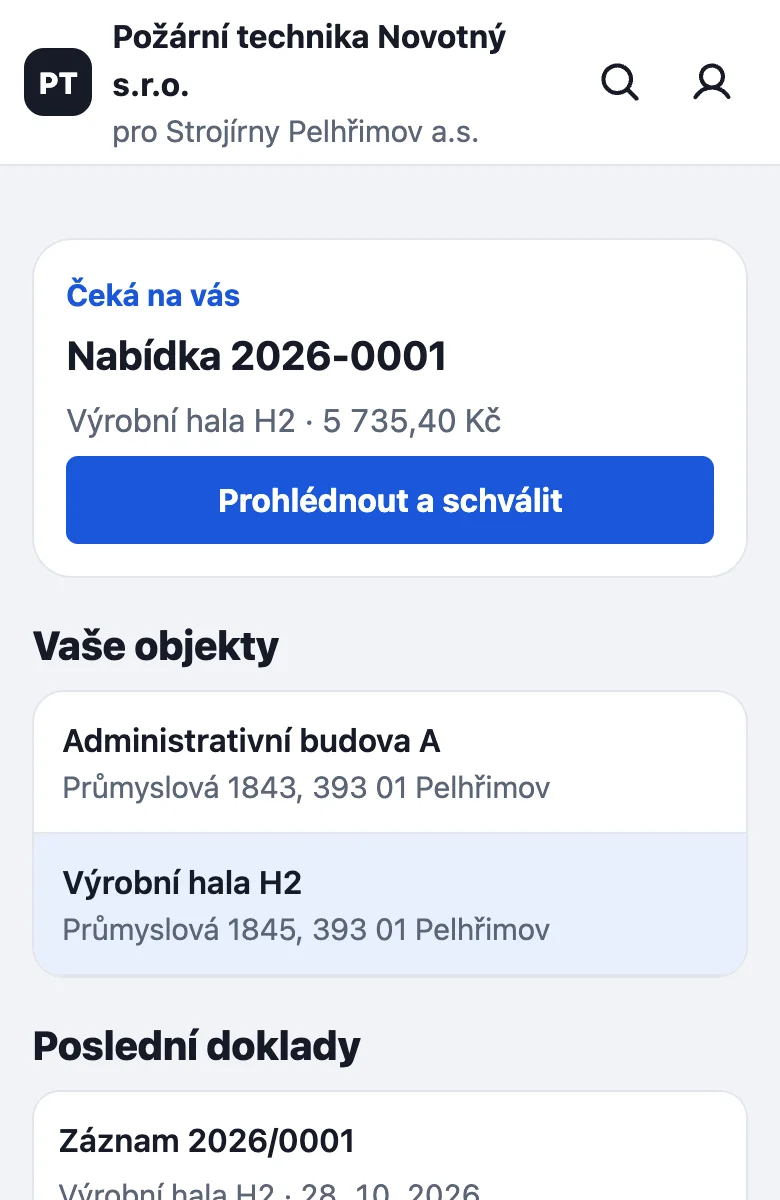
After signing in the portal opens with their objekty and the Poslední doklady (latest documents). Each has Stáhnout PDF (download PDF). At the bottom are the tabs Objekty, Doklady, Závady and Nabídky (quotes). In the Nabídky tab the objednatel sees quotes, if that module is on.
A record you do not share is not visible to the objednatel in the portal. When the kontrola is completed, the customer may sign on the technician's display; if they are absent, the technician marks Není přítomen (Not present). The technician's signature is required.
Something missing or different from your screen? Write to us at info@revispark.com.