
Your technician is still packing up, and the office already has the results
Technicians record results and photos on their phone, right at the extinguisher or door. The office issues the PDF, sends the repair quote and knows when the next inspection is due. Nobody spends the evening retyping paper notes.
For companies that install and inspect firestops, fire doors, extinguishers, hydrants and other fire safety equipment.
Sound familiar?
- Technicians write on paper or in phone notes, and someone in the office retypes it all into the report in the evening.
- Due dates live in a colour-coded spreadsheet that only one person really understands.
- Defects get written up and then just sit in the report. You find out whether the customer fixed them a year later, at the next inspection.
- A customer asks what was inspected on their site, and you dig through emails for the PDF.
A day with Revispark
Record it once on site, and the whole company works from that same record.
Morning
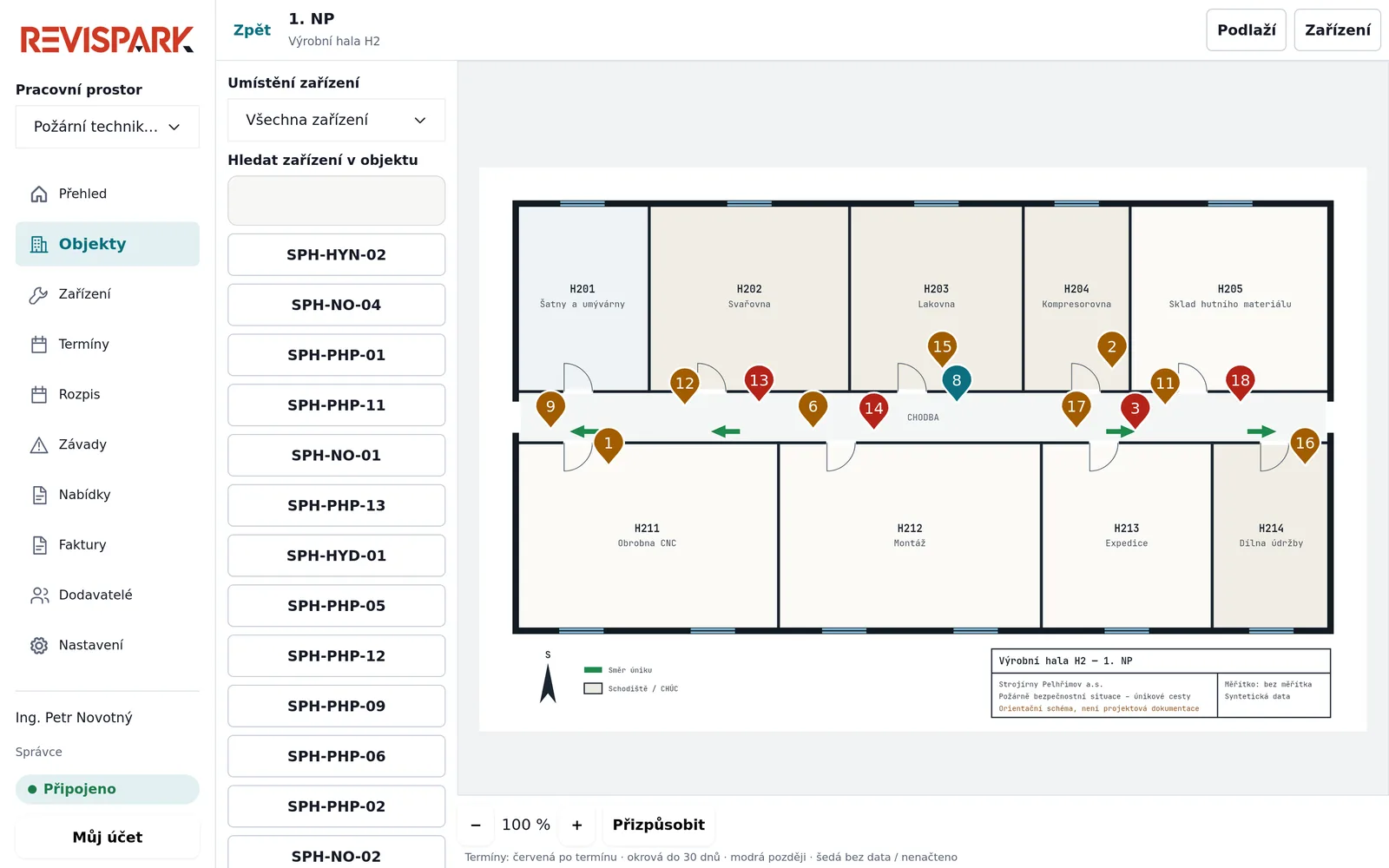
The technician opens today’s round on their phone. They see the equipment on the floor plan and what came up there last time.
On site
They tap the result, photograph the firestop and enter the measured value. No signal in the basement? The record stays on the phone and sends itself once they’re back in range. At the end, the technician and the customer both sign.
In the office
The manager reviews and issues the record. The PDF is numbered in your own sequence. A defect turns into a repair quote in a few clicks, and the next inspection date is already set.
What else Revispark does
Floor plans with equipment
Every firestop, door or extinguisher has its place on the floor plan. Its colour shows when the next inspection is due.
Numbered records
Set up your own checklist for each type of equipment. A manager reviews each record before it’s issued, and if you correct an issued record it’s saved as a new version.
From defect to invoice
Quote the repair from the defect, the customer approves it in the portal and you invoice it with a QR payment code. Your accountant gets an ISDOC file.
Installation jobs
Everything your crew installs is logged against the site, with photos. The customer signs the handover document on screen.
Customer portal
Customers log in and see the records, defects and quotes for their sites. You decide what they can see.
Import from Excel
Upload your list of sites and equipment, including next inspection dates.
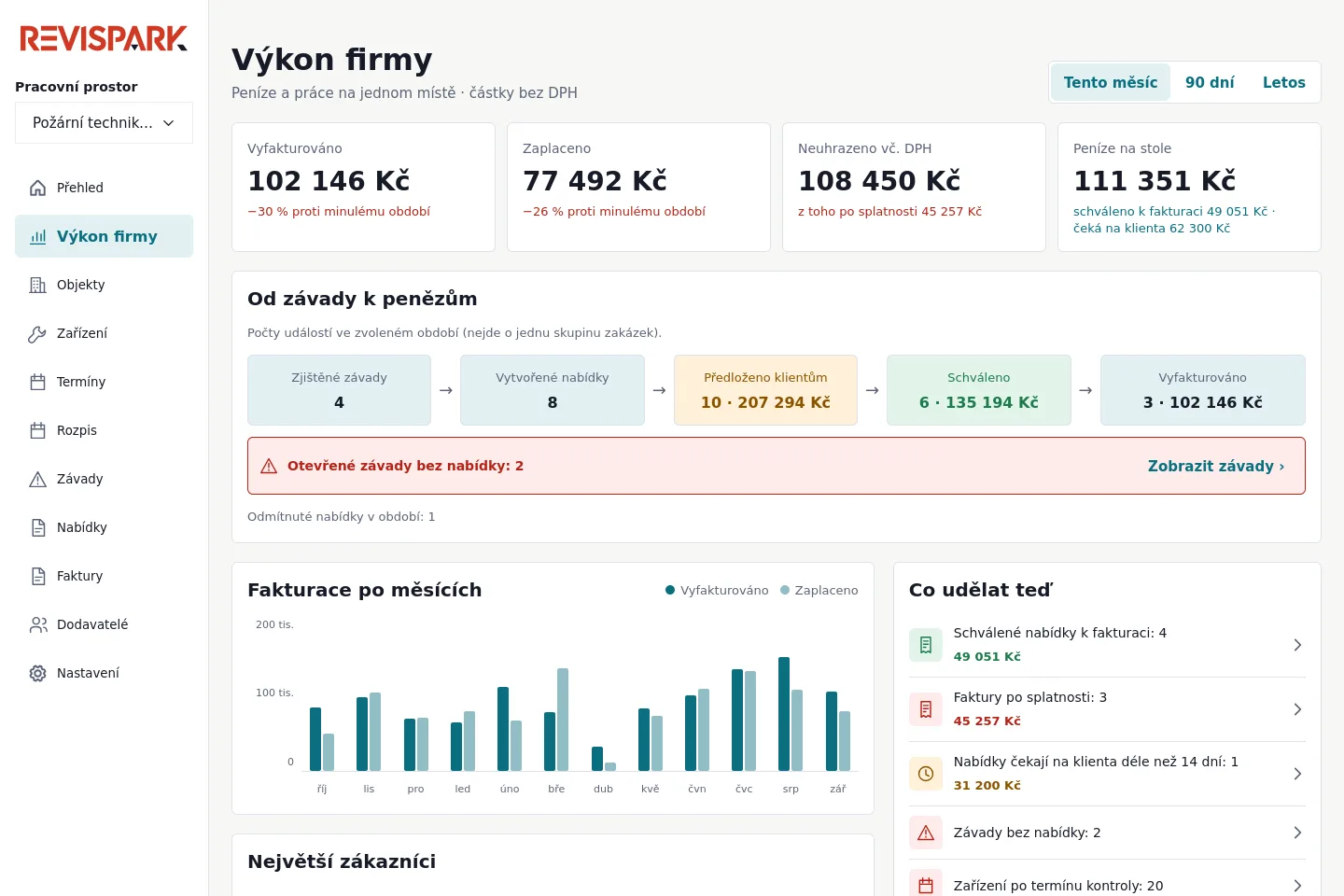
How much approved work hasn’t been invoiced yet?
The owner sees on one screen what was invoiced and paid this month, which approved repairs are still waiting for an invoice and which defects nobody has quoted yet. They also see how many inspections are coming up in the next three months.
- Overdue invoices, with amounts
- Quotes the customer hasn’t answered for over two weeks
- How many inspections each technician completed
What technicians have on their phone
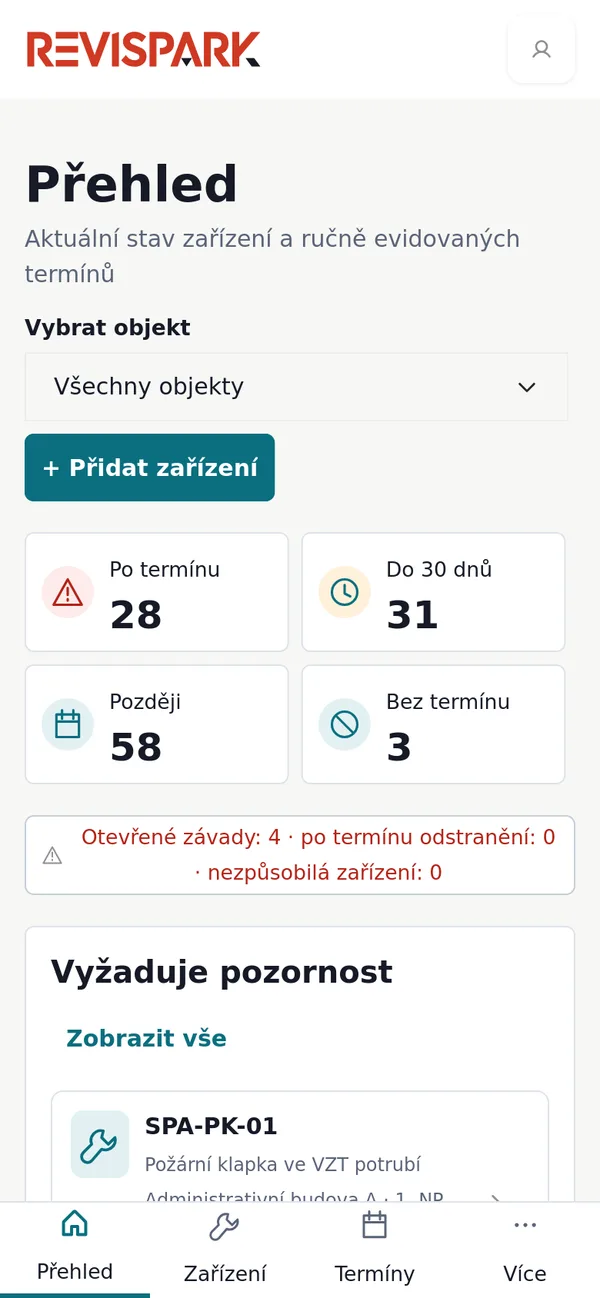
Technicians have their rounds, the site’s equipment and its history on their phone. They record results at the device, including places without signal.
- A result, note and photo for each item
- A measured value outside the allowed range is flagged automatically
- Technician and customer sign with a finger on screen
- iPhone and Android apps are in preparation. Until then everything runs in the phone’s browser.
Who it is for
We’re building Revispark with companies that install and inspect fire safety equipment. It works for a firm with two technicians and for one with its own installers and several technicians.
You set up checklists, measured values and record numbering for your trade. We also have ready-made checklists for:
Do you do other inspections? Write to us and we’ll talk it through.
Pricing
One price for the whole company. Add every technician and office user at no extra cost. Tell us how big your team is and we’ll send you a quote.
- Support and hosting are included
- Billed monthly or yearly
- We’re starting out with a group of pilot customers
Common questions
We keep everything in Excel. How do we get it into Revispark?
Upload the spreadsheet with your sites and equipment, including next inspection dates. You’ll see what will be imported before anything is saved.
What if the technician has no signal?
The record is saved on the phone and sent once the phone is back online.
What exactly does Revispark produce?
PDF inspection records built from your own checklists and numbered in your own sequence. The technician who carried out the inspection is responsible for the content.
Who sees our customers’ data?
Your people, according to the permissions you set, and each customer only what you share with them. Data is stored in the EU and processed under a data processing agreement.
Can I try it first?
Yes. We’ll send you a demo login with made-up sites and equipment, so you can click through everything.
Click through the demo yourself
Tell us briefly what you do and how you keep track of inspections today. We’ll send you a demo login.
Try the demo