
9 Installation: recording firestops on the drawing
How a technician records finished prvky straight onto the drawing during installation, and how the job is handed over.
The manager creates an installation: Zakázky → Nová zakázka (Jobs → New job), kind Montáž, the objekt, Kdy (when) and the technician.
The technician on site
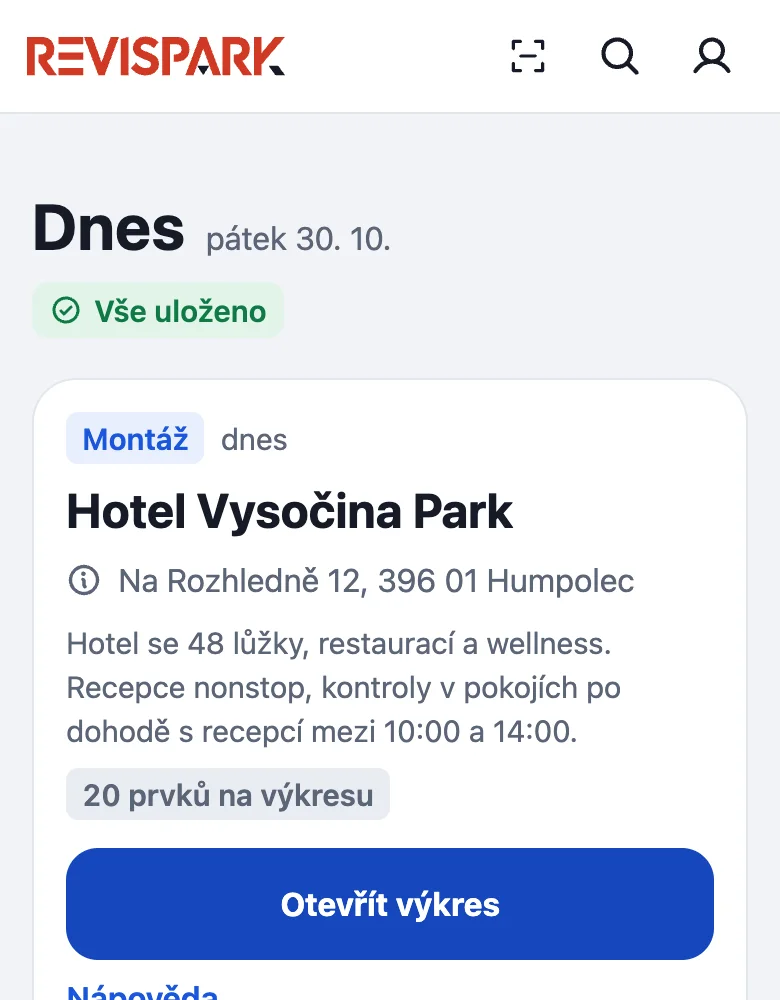
- On Dnes the installation is at the top. Tap Otevřít výkres (open the drawing).
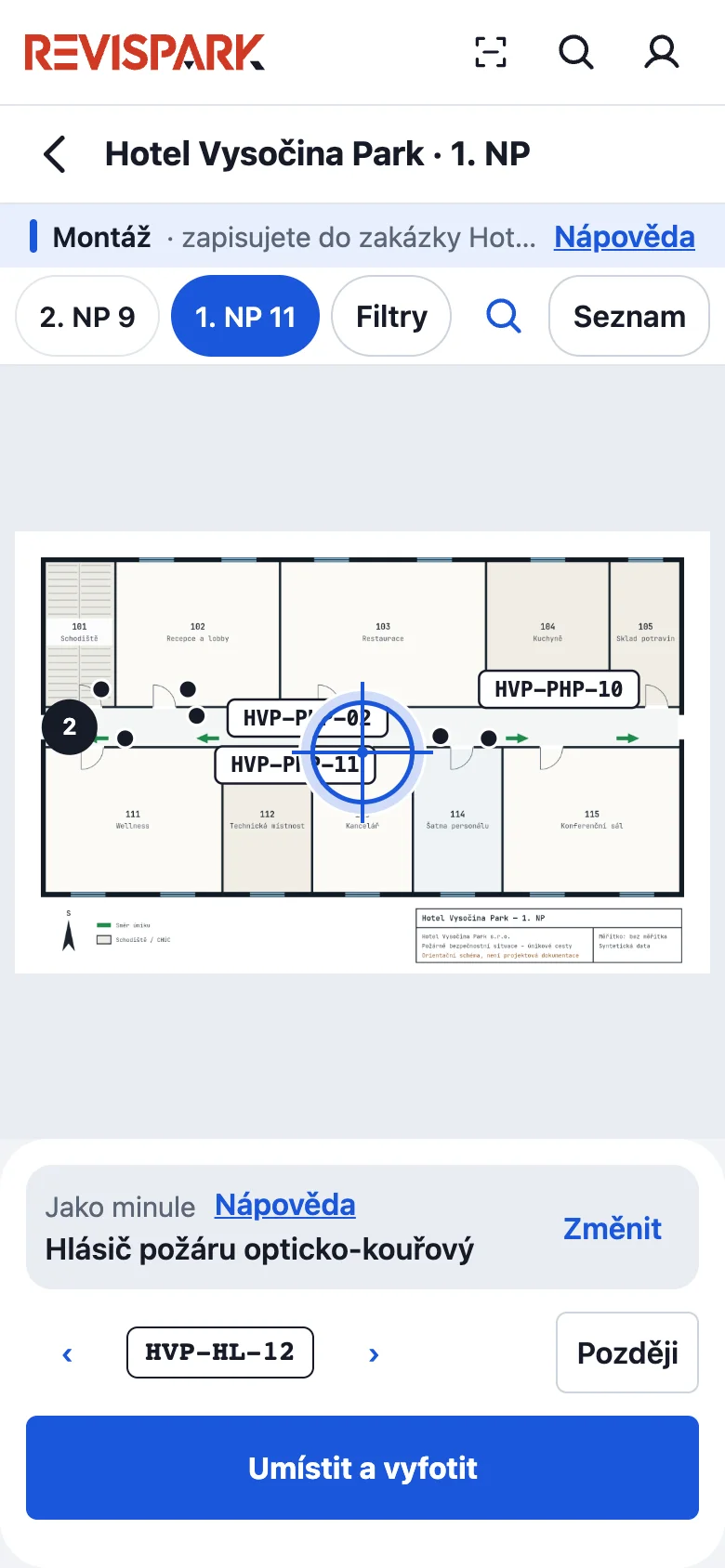
- Move the drawing so that the centre (the crosshair) lies on the finished firestop.
- A panel is at the bottom. Jako minule (as last time) carries the type from the previous entry; change it with Změnit and fill in the details of the type. The app offers the label number itself and you change it with the arrows ‹ ›.
- Tap Umístit a vyfotit (place and photograph) and photograph the firestop. The photo saves the prvek. You can take it back with Zpět or edit it with Upravit. Později (later) photographs and saves the prvek without a position; you place it on the drawing later on its card (Umístit na půdorys).
The sample's previous type is a detector; a firestop uses its selected type. Offline, the prvek and photo wait on the phone. Without a drawing, the job opens as a list with Přidat a vyfotit (add and photograph).
Handover
In the job the manager checks the list (Provedené prvky), has the contractor and the objednatel sign and taps Předat zakázku a vytvořit protokol (hand over the job and create the protocol). The handover freezes the list, photographs and signatures.
Something missing or different from your screen? Write to us at info@revispark.com.