
8 An objekt without a drawing (revize)
A kontrola done from the list of prvky, that is, without a floor drawing.
An objekt without a drawing is fine. Typically these are revize, say a gas boiler and switchboards. The app works without one: the prvky are in a list.
The manager
In the objekt open Evidence a údaje objektu → Půdorysy. It says „Objekt zatím nemá výkres. Aplikace funguje i bez něj — prvky jsou v seznamu. Výkres můžete nahrát kdykoli.“ (The objekt has no drawing yet. The app works without it; the prvky are in a list. You can upload a drawing any time.) Use the Nahrát výkres (upload a drawing) button when you have one. You import the prvky of the objekt as usual (see How to upload your files) and plan the kontrola from the objekt.

The technician on the phone
From Dnes the kontrola opens straight as a list of prvky. You search by number or type in the field Hledat č. nebo druh (find number or type).
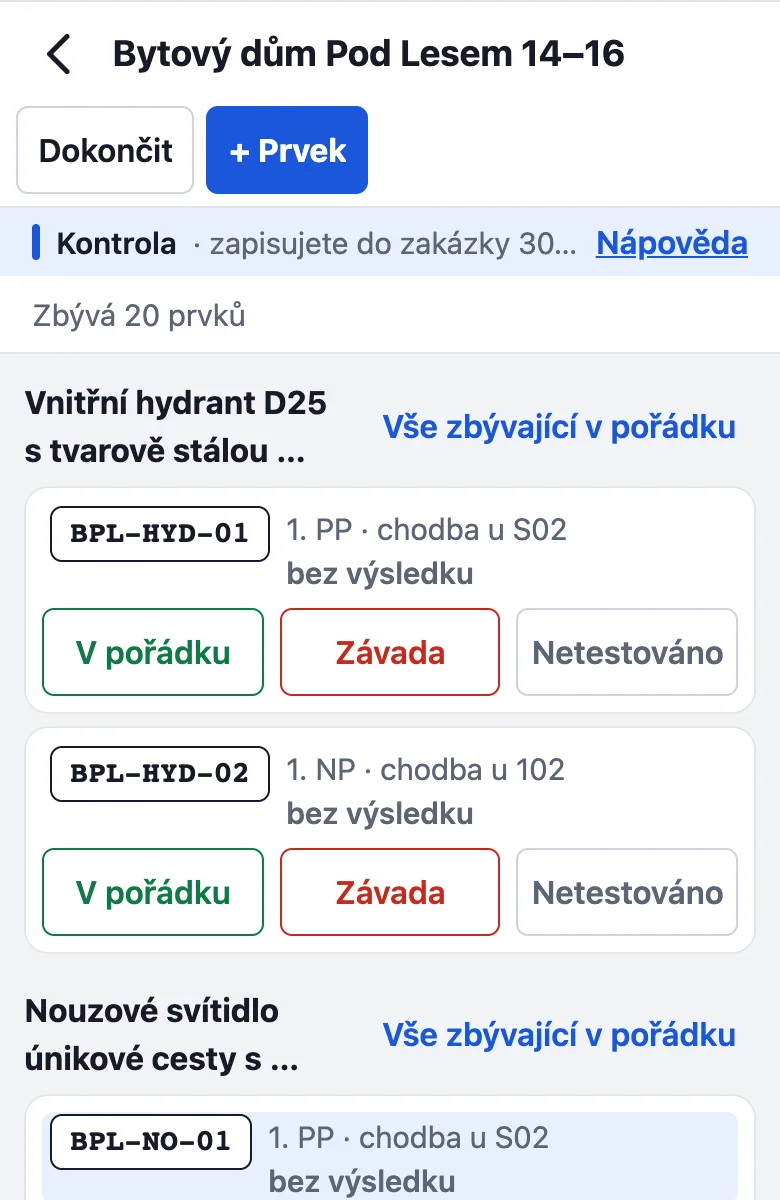
Tap a prvek and choose V pořádku (OK) or Závada (defect). A defect is recorded in the same way as with a drawing.
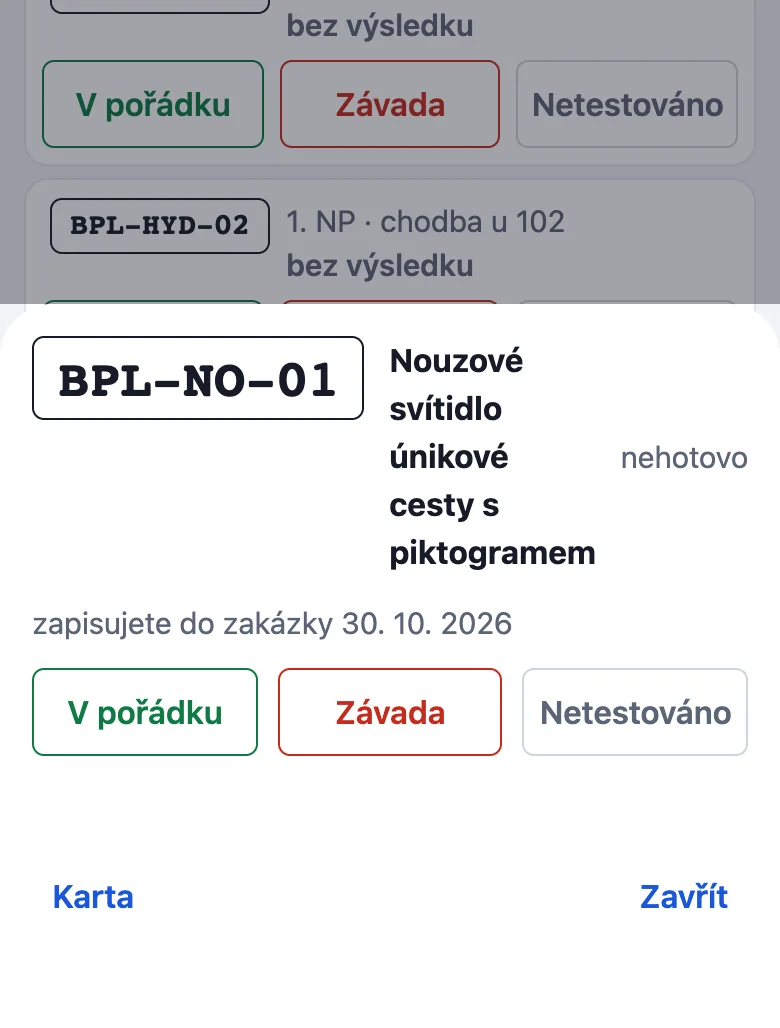
A prvek that is missing from the list you add with + Prvek. You set checklists and measured values for your trade in Nastavení → Šablony kontrol (check templates).
The record is issued in the same way. It is a record of an operability check, not a revision report.
Something missing or different from your screen? Write to us at info@revispark.com.