
5 Issuing the record and the PDF
How a finished kontrola becomes a numbered record and a PDF.
- The technician finishes the kontrola and signs on the display. The customer may sign too, or the technician marks Není přítomen (Not present). The kontrola appears for the manager in Doklady (Documents).
- The manager taps Projít (Go through). Under Před vydáním (Before issue) they see the objekt, the technician, the number of prvky with a result and the defects. For every defect they add Způsob odstranění (how it is fixed: replace, repair, add) and Termín odstranění (deadline). While anything is empty, the document cannot be issued.
- Vydat jako 2026/0002 (Issue as): the number comes from your own series (Nastavení → Záznamy: the prefix and the next number). The number only goes up, it never goes back.
The issued record
You find it in the objekt (Evidence a údaje objektu → Obchůzky). An issued record does not change. A correction is a new version: Opravit záznam (correct the record), the reason is written down and the original version stays visible.
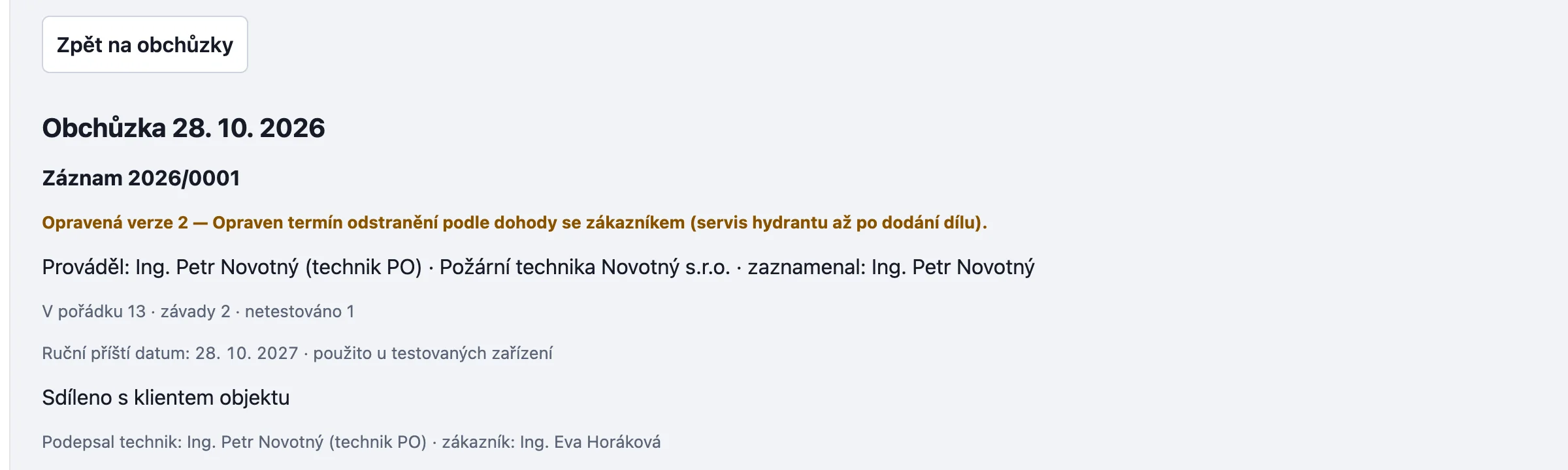
Připravit záznam o kontrole (PDF) (prepare the record as a PDF) creates a file to download. It is a record of an operability check, not a revision report. The technician who did the kontrola answers for it.
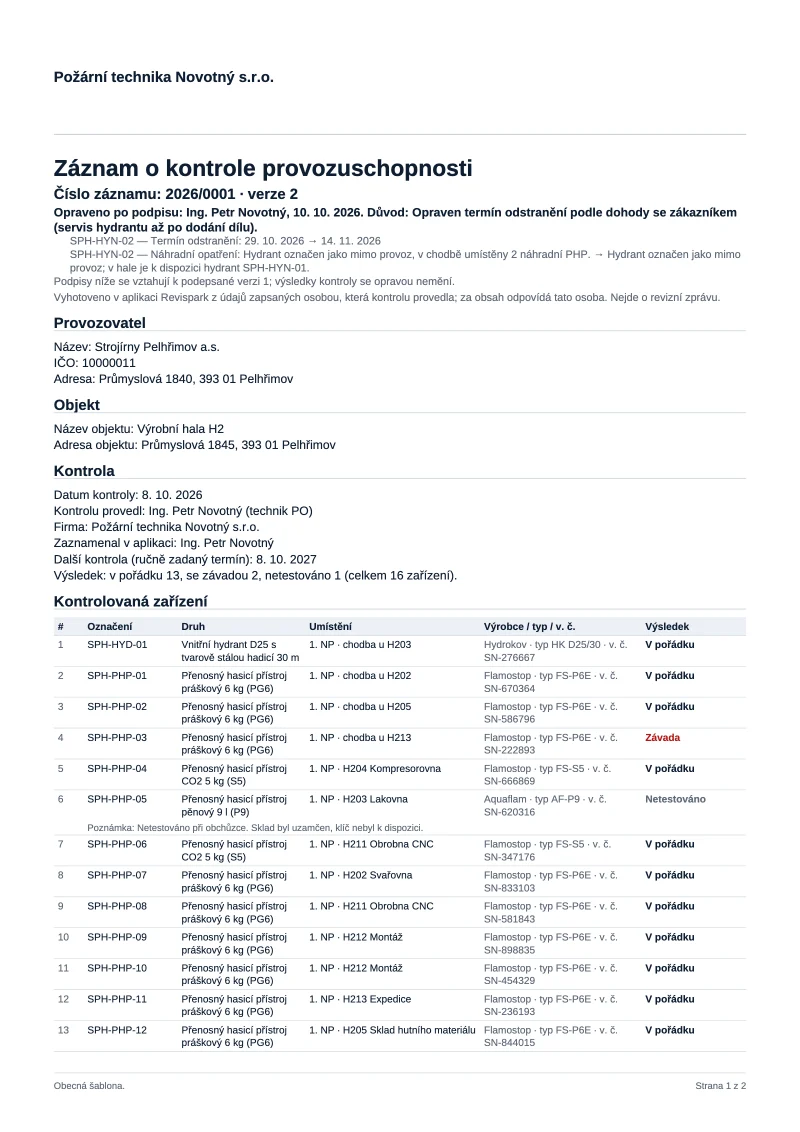
You can share it with the objednatel in the portal (Sdíleno s klientem objektu) or send it by e-mail. Odeslat e-mailem needs a connected mailbox in Nastavení → E-mail.
Something missing or different from your screen? Write to us at info@revispark.com.