
6 Inviting a technician
How to add a technician to the workspace and set which objekty they may use.
Only an administrator can invite. On a computer open Nastavení → Lidé a přístupy (Settings → People and access), on the phone Více → Lidé (More → People).
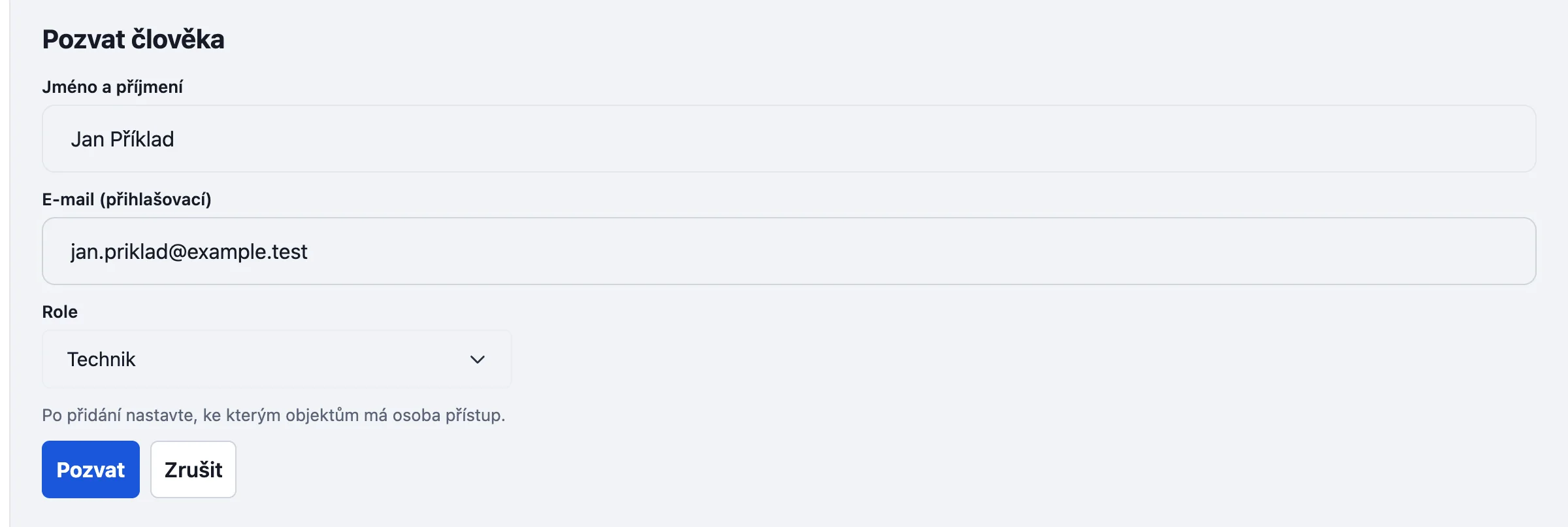
- Tap Pozvat člověka (Invite a person).
- Fill in Jméno a příjmení (name) and E-mail (přihlašovací) (sign-in e-mail). For Role choose Pracovník (a technician in the field) or Správce (administrator, the office).
- Confirm. The new person gets an e-mail „Revispark — pozvánka do pracovního prostoru“ with a link to set a password. The app does not confirm delivery; if the e-mail does not arrive, tap Znovu poslat pozvánku (send the invitation again) at the person, or Resetovat heslo (reset the password): a temporary password is then shown once and you hand it over yourself.
- If the person already has an account elsewhere, it is joined by e-mail and you do not see their other workspaces.
Which objekty they may use
A new person sees no objekt yet. At their name tap Přístup k objektům (access to objekty) and for each objekt choose Bez přístupu (none), Čtení (read) or Čtení a zápis (read and write). Only someone with write access records a kontrola.

After signing in the technician then sees Dnes and Objekty. You change the role later in the Tým (team) list and switch the person off with Deaktivovat v prostoru (deactivate in the workspace); their records stay.
Something missing or different from your screen? Write to us at info@revispark.com.